about
products
Support
forum
contact
Windows USB
|
AutoHex and Windows
|
Operating System
|
AutoHex Scanner
|
MicroTronik
Add USB printers
Adding and using USB Printers
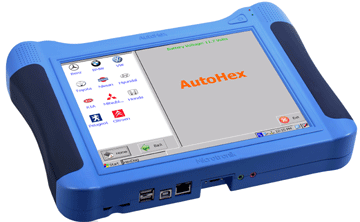
In AutoHex
Diagnostic scan tool
, it is easy to add a USB printer by just plugging the USB printer cable in the USB port and the system will recognize the new printer and install its driver on your AutoHex Device.
Add USB printers Keywords:
scan tool
diagnostic scan tool
Add USB printers Related pages:
Adding and using USB
Chat With Us Now
Please don't hesitate to chat with one of our sales or support team.
AutoHex Auto Scan Tool
With AutoHex onboard diagnostic scan tool you can change the configurations of the car by the professional special functions in HexDiag software
Launch scanner swf file error
: unable to launch script to run swf file,please enable scripts to launch scanner flash
Scan Tool
Mercedes Benz onboard Diagnostic
BMW Diagnostic onboard Scanner
Toyota Diagnostic Scanner
Fault Codes Finder
Mercedes Benz coding
BMW coding
Car Technical Info
Car Electronics
Car Sensors
Car Actuators
Mercedes Benz onboard Systems
Mercedes Technical Info