Diagnostic Scanner
about products Support forum contact
Diagnostic Scanner
Diagnostic Scanner Diagnostic Scanner Diagnostic Scanner

Contrast and Brightness Adjustment

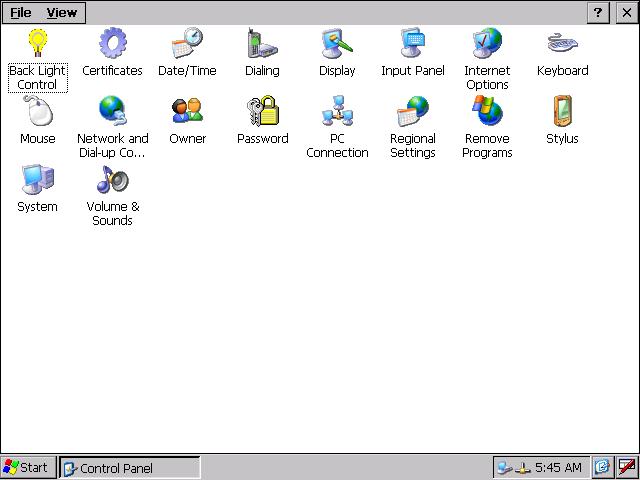
AutoHex Control Panel
AutoHex Control Panel .click for full size.
Contrast Adjustment
Contrast Adjustment .click for full size.
Adjusting Contrast and Brightness
To adjust the Contrast and brightness of your AutoHex screen:
· Go to (Start) Menu.
· Go to (Settings) menu.
· Click (Control Panel) and it shows up on your screen.
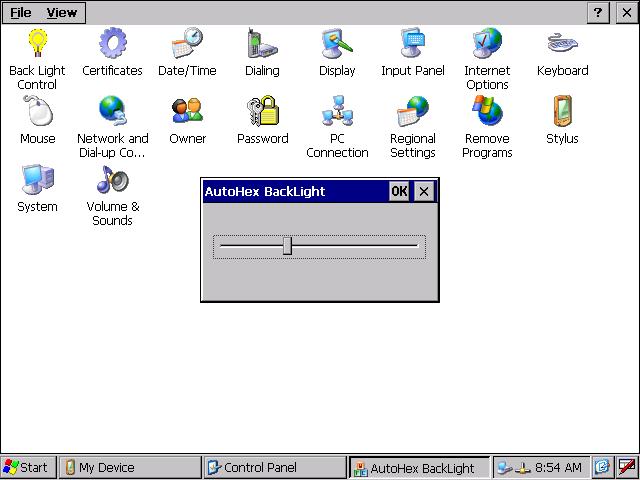
· Click (Back Light Control), a dialog window with sliding arrow will appear so you can adjust the Backlight of the screen.

Contrast and Brightness Adjustment Related pages:

Chat With Us Now
Live Chat Microtronik
Please don't hesitate to chat with one of our sales or support team.
AutoHex Auto Scan Tool
Automotive Scan Tool
With AutoHex onboard diagnostic scan tool you can change the configurations of the car by the professional special functions in HexDiag software
Launch scanner swf file error: unable to launch script to run swf file,please enable scripts to launch scanner flash
Scan Tool Mercedes Benz onboard Diagnostic BMW Diagnostic onboard Scanner Toyota Diagnostic Scanner Fault Codes Finder
Mercedes Benz coding BMW coding Car Technical Info Car Electronics Car Sensors
Car Actuators Mercedes Benz onboard Systems Mercedes Technical Info