Diagnostic Scanner
about products Support forum contact
Diagnostic Scanner
Diagnostic Scanner Diagnostic Scanner Diagnostic Scanner

BMW Qucik Test/Erase

BMW Diagnose Functions
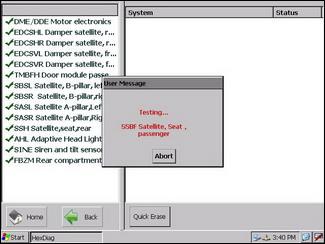
BMW Quick test Menu
BMW Quick test Menu
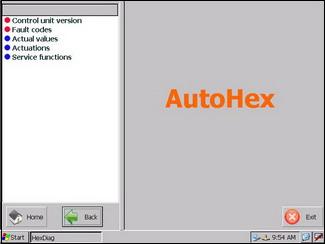
With AutoHex Automotive scan tool (HexDiag) BMW software, you can enter any system individually by just clicking the desired system.
And check the following items, as shown in this example in (Engine Control Module):
1. Control Unit Version.
2. Read and Erase Fault Codes.
3. Actual Values.
4. Actuations.
5. Service Functions (or Coding and Programming).
By clicking each item, you will see in the right menu the information included under each item.

BMW Qucik Test/Erase Keywords:

scan tool fault code bmw hexdiag control unit version actual values control unit bmw software

Chat With Us Now
Live Chat Microtronik
Please don't hesitate to chat with one of our sales or support team.
Car Technical Information
The key of success in repairing services is the knowlage and information, Microtronik offers free technical information articles to assist independent workshops to improve their skills
Launch scanner swf file error: unable to launch script to run swf file,please enable scripts to launch scanner flash
Scan Tool Mercedes Benz onboard Diagnostic BMW Diagnostic onboard Scanner Toyota Diagnostic Scanner Fault Codes Finder
Mercedes Benz coding BMW coding Car Technical Info Car Electronics Car Sensors
Car Actuators Mercedes Benz onboard Systems Mercedes Technical Info