Diagnostic Scanner
about products Support forum contact
Diagnostic Scanner
Diagnostic Scanner Diagnostic Scanner Diagnostic Scanner

Testing BMW

BMW Series
BMW Series
BMW Classes
BMW Classes
Testing BMW
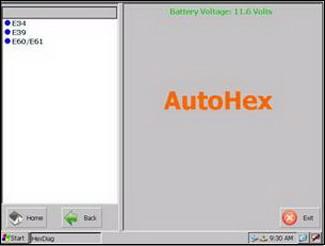
With AutoHex Diagnostic scan tool (Hexdiag), you have to choose a Model then choose a vehicle type as for example E39.
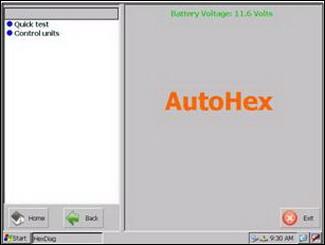
The left menu will show two options:
1. Quick-test (complete car scan / test) (HexDiag) BMW software detects all BMW ECUs (electronic control units) installed in car and reads all diagnostic fault codes. Status symbols:
  • (V) For (NO fault codes).
  • (X) For (with fault codes).
  • (!) The system cannot be found in current car.
(Quick Erase) button allows you to erase fault codes of all the faulted systems. After using (Quick Erase) function, the faulted systems on the left menu will move to the right menu, if the system still has fault code its status will be (NOT OK) otherwise it becomes (OK).
2. Control Units
When you click on it, you will see three categories:
  • Drive.
  • Chassis.
  • Body.


Testing BMW Keywords:

scan tool fault code bmw diagnostic scan tool hexdiag control unit bmw software


Testing BMW Related pages:

Chat With Us Now
Live Chat Microtronik
Please don't hesitate to chat with one of our sales or support team.
AutoHex Scan Tool Forum
Scan Tool Forum
In AutoHex onboard diagnostic Scan Tool forum you will find discussions how to change the configurations of the car by the professional special functions using AutoHex scan tool
Car Technical Information
Our Technical information has rich, deep, and very useful infromation and programs.You can find basics, also you can find very specific information
Scan Tool Mercedes Benz onboard Diagnostic BMW Diagnostic onboard Scanner Toyota Diagnostic Scanner Fault Codes Finder
Mercedes Benz coding BMW coding Car Technical Info Car Electronics Car Sensors
Car Actuators Mercedes Benz onboard Systems Mercedes Technical Info